Brain sells cyber and AI security awareness solutions, fully online. With your consent, measurement cookies show us the pages and products you visit: only to understand your needs, improve the site and give you better advice. No data resale, no advertising.
You help us give you better advice
The site works exactly the same
What we actually do
If you accept: we measure your journey on the site (pages viewed, products opened, path taken), via our in-house tool, Google Analytics and HubSpot, to understand what you are looking for and answer you better.
What we never do: sell your data, track you across other sites, show targeted advertising.
Either way: your choice, the language and the sound setting stay in your browser (local storage, never transmitted).
If you book a time: scheduling opens at HubSpot, which manages its own cookies on its page.
The phishing simulator that trains your teams on real attacks, from the fake email to the booby-trapped QR code, in a controlled setting that never captures a password.
A ready-to-use catalog
Over 1,300 scenarios sorted into around twenty pretext families, filtered by your company profile.
Today’s attacks
The fake email, but also the booby-trapped QR code, the fraudulent attachment and the fake verification page.
A controlled setting
Signed mandate, verified domain, test send to yourself, and never any password captured.
The debrief that matters
Who clicked, who reported, reporting rate: the measure that moves your teams forward.
The fully customizable cyber competition: custom game flow, boss fights and a public leaderboard.
Through a simple link (or QR code). They pick a nickname and play, no account creation, and in arcade mode, even the nickname becomes optional.
The game flow (which formats, how many questions, where the bosses go), the number of lives, the run duration, the scoring mode, and even your own question bank through Content Studio.
Yes: the skills map shows where each team is progressing, theme by theme, with export. SAML SSO connects your company directory.
The security awareness arcade cabinet. Configured online, delivered turnkey.
No. The cabinet runs on its own: attract mode, free-play game, and a leaderboard that keeps the competition going.
In the online 3D configurator: pick a preset or compose your faces (text, logo, images), share your configuration with a link (with a designer if needed), then order.
The 4G router + SIM option (1 year included) makes the cabinet fully independent from the site’s network.
Volume discounts apply: 10% off from 3 to 9 cabinets, 20% off from 10 cabinets. Get in touch and we’ll put together a tailored quote.
The fully configurable reflex competition: timed mini-games, cyber, AI or mixed universes, arcade mode.
Cyber Cup is a knowledge arcade quiz; Super Challenge tests reflexes against the clock, with lives. Both share the same engine and launch from a link.
Spotting generated content, catching a deepfake, judging a prompt, checking a source: the everyday AI reflexes. The mixed universe combines cyber and AI.
Yes: depending on the setting (1, 3 or 5 lives), every mistake costs one. That’s what keeps the competition tense.
The deepfake photobooth: allow your webcam, watch an AI transform you live, and never look at an image the same way again.
No. The feed is processed in real time and nothing is recorded or kept. Captures carry an “AI-generated” watermark.
No: open the link, allow your webcam, see yourself transformed. The session is deliberately short.
To make people live the deepfake instead of explaining it: once you have watched your own face lie on screen, you never look at a video call the same way.
The phishing simulator that trains your teams on real attacks, from the fake email to the booby-trapped QR code, in a controlled setting that never captures a password.
No: Super Phisher is an awareness tool. No password is captured, every campaign requires a signed mandate and a verified domain, and you can send the lure to yourself before any launch.
The fake email, but also the booby-trapped QR code, the fraudulent attachment and the fake verification page. Each recipient gets a scenario matched to their language.
The debrief shows who clicked and above all who reported the attack, with your teams’ reporting rate, campaign by campaign.
The narrative game that teaches cybersecurity through play: ten chapters, a level map, with nothing to install.
No: the game plays directly in the browser, with nothing to install and no account to create. An email is enough to get started.
Ten chapters, from how the brain handles risk to malware, by way of passwords, the man-in-the-middle, social engineering and phishing.
Yes, in French and English, chosen right when you enter the game.
Compare
Annual e-learning, phishing simulation, one-off workshops, games: four ways to raise awareness in your teams, what each one brings and what Brain adds.
Criterion
Annual e-learning
Phishing simulation
One-off workshop
Brain
Format
An online module to complete, often once a year, hosted on the LMS.
Simulated phishing emails sent to inboxes, with a training page for those who click.
A workshop, a talk or an escape game, in person or remote.
A collection of small tools: competitions, mini-games, messaging bot, learning path, encyclopedia, arcade kiosks.
What the employee experiences
They go through the module to the end and pass a quiz.
They receive a simulated phishing email and practice spotting and reporting it; if they click, they see a short reminder right away.
They take part in a group session led by a speaker.
They play for one minute or five, compare themselves with colleagues on a leaderboard and come back.
A quote, a date, a room or a video call, a speaker.
A free self-service account, a link or a QR code to share. Zero install.
Rhythm
One campaign a year, sometimes quarterly.
Waves of emails through the year.
One or two highlights a year.
Highlights (cybersecurity awareness month, AI Spring, trade show) and a year-round thread, in small doses.
What you measure
Completion rate and quiz scores.
Click rate and reporting rate.
Attendance and on-the-spot satisfaction.
Participation, progress and completion, with exports provided by default.
Topics
The chosen catalog program, mostly cyber.
Phishing and its variants.
The topic of the session.
Cyber and AI, enabled separately.
Employee data
A named account per learner.
Email addresses and each campaign’s results (clicks, reports), by name or aggregated depending on settings.
An attendance sheet.
In competitions and on kiosks, no player account: a nickname and a score.
Pricing model
Most often a license per user per year.
Most often a license per user per year as well.
A quote per session.
Public prices: free to test, credit packs paid per participation, unlimited annual plan on quote.
On site
Rarely: the module is taken online, on a computer or phone.
Not usually: it happens in the inbox, sometimes via text message or QR code.
Yes, that is its home ground.
Yes: a real arcade kiosk in the lobby, on top of online play.
A complement, not a replacement
Brain replaces neither the mandatory module nor your phishing simulations: it adds what they are not designed to do (highlights, competition, on-site presence) and gives you the record of a living program.
Each Brain tool can be used on its own. The Brain Platform brings them together in a single cybersecurity and AI awareness program: the program owner sets a goal, each employee takes part in the format that suits them, and a training record keeps track of participation. It is not self-service: there is no account to create online; we set it up with you after a conversation with our team.
No. The mandatory module remains useful for compliance. Brain comes on top: highlights, competition and on-site presence to create engagement, with participation, progress and completion exports to keep the record.
Yes. Products open for signup can be tried in self-service, with a free account and no credit card, and prices are public. Some products are already deployed with customers and are available by appointment: we set them up with you after a conversation with our team. A call is also needed for the Brain Platform, a kiosk, an unlimited subscription or a specific need.
Pricing
Public prices, excluding VAT, with no quote needed for most of it: you choose a volume, you pay, you launch. Products open for signup are tried free first, with no credit card.
Getting started: free
A free account, no credit card, with the admin console, which uses no credits. Cyber Cup and Super Challenge include five free test accesses, the Brain Arcade configurator can be tried with the same account, and Super CISO Destroyer and Deepfake Studio are free to play, with no account. For the other products, each catalog page says how to get access.
Cyber Cup and Super Challenge: credit packs
One credit is one run for one participant. It is used at the participant’s first actual login: if they log in again or finish later, it is still one credit. A new run or a new edition uses a new credit.
Pack
Price excl. VAT
Discount
250 credits
€450
baseline
500 credits
€750
-17%
1,000 credits
€1,200
-33%
2,000 credits
€1,900
-47%
5,000 credits
€3,000
-67%
10,000 credits
€4,200
-77%
Valid 12 months from purchase, usable on Cyber Cup and Super Challenge alike, with the balance shown in real time in the console.
No subscription, no renewal: when the credits run out, you decide whether to buy more.
Above 10,000 credits, pricing is on quote.
Unlimited annual subscription: on quote
Unlimited runs on Cyber Cup and Super Challenge, for the whole organization, all year round. The price is set in a meeting based on the number of users, the scope and the commitment length. 12-month firm term, tacit renewal, 2-month notice.
Brain Arcade: an annual license per cabinet
You design the cabinet in 3D, we build it, deliver it and install it. It remains Brain’s property: you pay for its use, not its purchase.
Model
Year 1 (excl. VAT)
Following years (excl. VAT, per year)
Full cabinet (about 181 cm)
€7,000
€3,500
Bartop (compact cabinet)
€5,000
€2,500
Year 1 covers design, custom graphics, manufacturing, delivery and installation in mainland France, the license and maintenance. The following years cover the license, content updates, hosting, support and maintenance.
Unlimited players and runs, with no credits used.
12-month minimum commitment per cabinet, tacit renewal for 12-month periods, cancellable up to 2 months before the term.
Volume discounts: 10% off from 3 to 9 cabinets, 20% from 10. On quote: custom artwork outside the templates, delivery outside mainland France, on-site facilitation.
Events: on quote
Trade show, seminar, cybersecurity awareness month: cabinets for a few days. The price depends on the number of cabinets, the duration, the venue and the logistics. The service is paid in advance, which secures your dates.
Yes, 12 months after purchase, with a reminder 30 days before. Unused credits are lost, which is the counterpart of volume discounts. If Brain fails its obligations or removes a main feature, they are refunded pro rata.
Yes: within 14 days of an online order, as long as no credit was used, no game was opened to participants and no cabinet manufacturing was started.
Credits are paid at order time. Subscriptions are invoiced in advance and payable within 30 days. An event service is paid before the event.
Yes, for an annual subscription, more than 10,000 credits, an event or a multi-entity rollout. The Brain Platform, which brings the tools together in a single awareness program, has no public price: it is not self-service, we set it up with you after a conversation with our team.
Not without Brain’s written agreement: credits belong to the entity that bought them.
Brain collects the cabinet within 30 days, unless you say before the term that you want to continue: nothing changes then, except the price, which moves to the following-years rate.
Level upyour teams on cyber & AI,without putting them to sleep.
Brain is not an annual training people sit through: it is a collection of small tools (mini-games, competitions, a bot, training paths, an encyclopedia) and highlight moments that punctuate the year. Put end to end, they form a platform for a lasting security culture.
How we work
Reflexes all year long, in small doses.
One tool does not change a culture. A collection of tools, played all year and managed in one place, does. And it shows on both sides: the people who play, and the people who run the program.
For employees
Experiences that stick
One minute or five, at a booth or in the messaging apps. People play, compare scores, play again, and the reflexes sink in.
Timed reflex mini-games, cyber or AI topics
Link-based competitions with public leaderboards
On-site arcade cabinets for your highlight events
Micro-lessons in Slack (Teams and Google Chat coming later)
Zero installEverything runs in the browser, from a simple link
No accountOn the player side, a nickname is all it takes
For the security team
Everything managed in one place
You manage all the content from the console, and you pull the numbers without having to ask anyone.
Design, content, customization, localization: everything is editable
Measurement tools included by default, on every platform
Participation, progression and completion exports
Cyber and AI topics can be enabled separately
DORA · NIS2Supports your regulatory obligations
AI Act · Art. 4AI literacy measures mandatory since 2025
Everything that is open can be tried, right now.
01
You open an account
Every product open for signup is self-service: you create your account on the one that interests you, without going through us. For the others, the product page says how to get access.
02
You test, you launch
You try it on one team, then roll it out. Measurement tools come by default in every platform.
03
You want more, we talk
Unlimited, MSP, the Brain Platform, which brings the tools together in a single program, or a need entirely your own: that is the moment to tell us about your needs.
A company with specific needs? Open up every element, customize content and design to your brand, roll out across multiple entities. Tell us about your needs, we build it with you.
Start with the catalog: open products can be tried right away. And as soon as you want to go further, we take it from there with you.
Book a call
Tell us about your needs: we set up a time, or we get back to you.
The most direct
Tell us about your needs
A special request? An awareness program to build, a specific population, context we should factor in? Book a time: we talk it through live, and look together at what fits your need.
Your context: populations, industries, languages, deadlines
The formats that fit: arcade, competitions, training paths
Integrations: Slack, SAML SSO, CSV and Excel exports
30 minutes, no commitment, with a member of the team.
In writing
Rather we get back to you?
Leave us your details and a couple of lines about your need. We get back to you quickly.
By sending this form, you agree that your data will be used to get back to you. Privacy policy · Cookies
Cyber Month 2026The cybersecurity awareness month
Let’s organizeyour cyberawareness month
For cybersecurity awareness month, every company runs its own campaign. Run yours arcade-style: your teams play, the leaderboard updates live, everything gets measured. Start for free, no commitment.
An event ready to launch, played anywhere, with results you can report.
01
A turnkey event
Zero onboarding: you create the competition, the questions are already there, you share one link. Your teams are playing within the minute.
02
Online or on-site, with cabinets
Everyone plays from their phone, wherever they are. Or you install a real arcade cabinet in the lobby for the whole month. The two combine.
03
Results to report
At the end of the month, you show figures, not an impression: participation, leaderboard, progress by topic and exports to present to your leadership team. A record that supports your DORA and NIS2 obligations.
Optional
The Brain Arcade cabinet, on your premises
The same game in cabinet mode: a nickname-only kiosk, with no personal data, in a real arcade cabinet installed at your site for the whole month.
Give them a reason to play rather than one more module: a competition between teams, with a leaderboard that updates live. Everyone plays from their phone, with no account to create on the player side.
Change the format: short, timed arcade-quiz runs, reflex challenges, an arcade cabinet in the lobby. A live leaderboard creates the friendly rivalry that traditional training lacks.
Keep your content and your e-learning, and add a highlight people can play: a tournament during the month, with a final leaderboard. The game comes on top of your mandatory module; it does not replace it.
With figures, not an impression: participation, leaderboard, progress by topic, and exports to present to your leadership team. A record that supports your DORA and NIS2 obligations.
You create the competition, the questions are already there, you share one link: your teams are playing within the minute. For a full program, a 20-minute call is enough to line up the games, the calendar and the communication kit.
No. Everything is played online, from a phone or a computer. The arcade cabinet is an option to make a splash on-site.
Need a hand
We’ll organize your month with you
Would you rather we put together a turnkey program for you? Leave a work email, we’ll get back to you with a plan.
The fastest way
A 20-minute call
We look at your context together and set the month’s highlights.
Every spring, companies take stock of AI: what can be trusted to it, what must be checked, what is no longer taken at face value. Turn it into an arcade season: your teams play, the leaderboard updates live, everything is measured. You start for free, no commitment.
A season ready to launch, played anywhere, that leaves a record.
01
A turnkey AI competition
Create your Super Challenge in the AI universe: deepfakes, prompts, confidential data, sources. The mini-games are already there, you share a single link, your teams play within the minute.
02
AI reflexes all season long
Chat with Jack sends micro-lessons in Slack (Teams and Google Chat coming later). Cyberpedia offers an AI-generated visual encyclopedia to explore at your own pace. The spring lasts, so does the awareness.
03
The AI Act, Article 4
Since 2025, the AI Act has asked companies to take measures that develop the AI literacy of their staff. A season of play contributes to that and leaves a record: participation, progress by topic, exports.
Optional
The Brain Arcade kiosk, in your premises
Super Challenge in kiosk mode: a nickname kiosk, no personal data, in a real arcade kiosk installed at your site for the whole season.
A season of artificial intelligence awareness in the company, modelled on cybersecurity awareness month: a highlight where every employee learns the right reflexes for deepfakes, prompts, confidential data and generated content. Each company picks its own dates in spring.
Three building blocks are enough: a Super Challenge competition in the AI universe launched with a single link, Chat with Jack micro-lessons in your messaging app for the whole season and, for a physical highlight, a Brain Arcade kiosk in the lobby. A free account lets you test everything before deciding.
A competition is created in a few minutes, with no onboarding or purchase order. Allow a 20-minute call with us if you want a turnkey program for the whole season.
Launch a Super Challenge in the AI universe and share it with a single link: your teams practice understanding AI, verifying answers, prompting well and spotting a deepfake. The skills map tracks their progress theme by theme, and the console exports the results as CSV or XLSX. These are all measures you can document under Article 4 of the AI Act, which asks companies to develop the AI literacy of their staff. You can try it first with a free account.
Need a hand
We organize your spring with you
Would you rather we suggest a turnkey program? Leave a business email and we come back with a plan.
The fastest
A 20-minute call
We look at your context together and set the season’s highlights.
It is 6:14 AM. The on-call engineering team receives an alarming alert: the primary hypervisor disk I/O is maxed out, while several shared file servers are rapidly appending .locked extensions to critical assets. At this exact moment, the attack is not just beginning, it is entering its final execution stage. The threat actors likely spent weeks mapping the Active Directory topology, exfiltrating intellectual property, and blinding online backups. The countdown has officially begun.
In emergency medicine, the Golden Hour refers to the crucial initial window where every clinical intervention dictates patient survival. In cybersecurity, the principle is identical. The first 60 minutes following ransomware detection seal your organization's operational fate: you either contain the blast radius and safeguard volatile digital evidence, or you fall into classic traps that destroy months of forensic investigations and trigger a total operational shutdown.
What Should You Do and Never Do During the First Hour of a Ransomware Attack?#
In brief: During the first hour, you must physically or logically isolate affected assets without powering them down to preserve volatile memory (RAM), shift incident communications to a vetted out-of-band channel, and mobilize the crisis management team without succumbing to operational panic.
Faced with live encryption, the instinctive reflex for many system administrators is to pull the power plugs on physical servers and workstations. That is the single most destructive mistake you can make.
Fatal Errors to Eliminate Immediately
Never power off or reboot compromised machines: Powering down a machine immediately wipes volatile system memory (RAM). This volatile memory holds temporary decryption keys, command-and-control (C2) IP addresses, in-memory process injection payloads, and forensic artifacts required by DFIR specialists. Furthermore, rebooting a system whose core operating system binaries or master boot records are already encrypted ensures the machine will never boot again.
Do not rely on corporate email, Teams, or internal VoIP: If your domain controllers or identity providers are compromised, your collaboration suites and mail systems are likely tapped. The attacker is listening, monitoring your triage channels, and will pivot their tactics based on your internal conversations.
Do not attempt lone-wolf negotiations or rush to pay: Initiating uncoordinated contact with extortionists signals that the targeted systems are indispensable, instantly driving up leverage and ransom demands.
OPERATIONAL DECISION TREE · The Ransomware Golden Hour: The First 60…NIST CSF 2.0 · CISA · SOC 2 · HIPAA · ISO 27001
Operational architecture: The Ransomware Golden Hour: The First 60 Minutes to Save Your IT (SuperCISO Destroyer · Brain Security).
How to Isolate the Network Perimeter Without Destroying Digital Evidence#
In brief: The top priority is severing network connectivity by unplugging physical Ethernet drops, killing Wi-Fi interfaces, or dropping VLANs at the core switch level, all while keeping endpoints powered on to preserve volatile artifacts in memory.
Isolating your enterprise environment does not mean tripping the main electrical breaker. The objective is stopping lateral movement (across SMB, RDP, or WMI) while freezing systems in place for forensic investigations.
The Emergency Isolation Protocol
1. Hardware and link layer disconnection: Disconnect RJ45 Ethernet cables from affected hypervisors and endpoints, and disable wireless NICs. If the attack footprint spans multiple sites, instruct network operations to isolate the affected VLANs or tear down site-to-site WAN and VPN tunnels.
2. Sever inbound remote access: Instantly revoke all external VPN profiles, remote access gateways, and active administrative sessions. Threat actors typically maintain redundant remote backdoors across corporate edges.
3. Hibernate instead of powering down (if procedures are validated): If your incident responders have operational runbooks to force system hibernation, taking this action writes the entire contents of RAM to disk (hiberfil.sys) before halting execution, preserving volatile state. If this exact workflow is not rehearsed, simply leave the systems running while severed from all network access.
4. Air-gap and protect immutable backups: Physically unplug offline backup appliances, unmount cold storage repositories, and suspend automated cloud storage synchronizations to prevent encrypted or corrupted files from overwriting healthy snapshots.
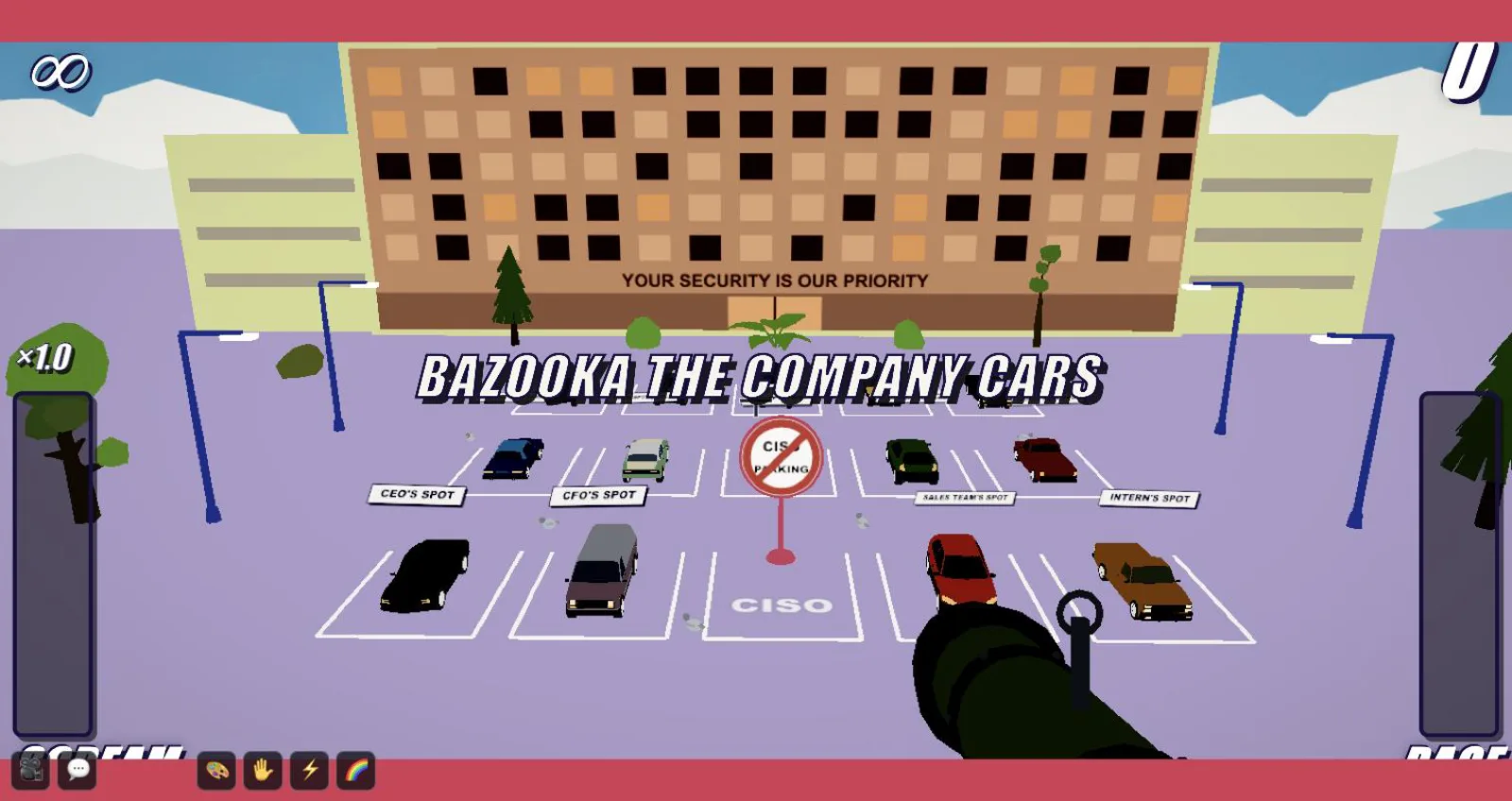
To prepare your technical leads and executive stakeholders for high-pressure incident containment without risking corporate uptime, our free 3D incident response game Super CISO Destroyer places players directly in the hot seat of an enterprise CISO navigating a live breach.
Maturity Self-Assessment Grid: The Ransomware Golden Hour: The First 60 Minutes to Save Your IT
Assessed Domain
Target Practice Defined in Guide
Related Chapter
Priority
Never power off or reboot compromised machines
Powering down a machine immediately wipes volatile system memory (RAM). This volatile memory holds temporary decryption keys, command-and-control…
What Should You Do and Never Do During the First Hour of a…
P1 · Critical
Operational leadership
Appoint an incident commander who coordinates forensic tasks, maintains a timestamped physical log of all containment actions, and shields responders…
How to Organize the Response and Mobilize the Crisis Management…
P1 · High
Do not rely on corporate email, Teams, or internal…
If your domain controllers or identity providers are compromised, your collaboration suites and mail systems are likely tapped. The attacker is…
What Should You Do and Never Do During the First Hour of a…
P2 · Core
Legal and regulatory notification
Prepare initial briefings under the supervision of legal counsel, tracking regulatory notification timelines (such as GDPR 72-hour reporting windows…
How to Organize the Response and Mobilize the Crisis Management…
P2 · Ongoing
How to Organize the Response and Mobilize the Crisis Management Team#
Technical incident response represents only one facet of ransomware mitigation. Without rigorous human command structures, even seasoned engineering teams unravel within thirty minutes.
Stand Up an Out-of-Band (OOB) Channel
Before launching the first incident bridge, ensure your communication pathway is completely segregated from enterprise identity infrastructure. Use an end-to-end encrypted messaging platform established on verified mobile devices, or dedicated secondary communication platforms detached from corporate SSO. Ban all use of corporate mailboxes, Microsoft Teams, and Slack until the integrity of the identity tier is fully established.
Core Incident Command Priorities in the First Hour
Operational leadership: Appoint an incident commander who coordinates forensic tasks, maintains a timestamped physical log of all containment actions, and shields responders from outside noise.
Legal and regulatory notification: Prepare initial briefings under the supervision of legal counsel, tracking regulatory notification timelines (such as GDPR 72-hour reporting windows or NIS 2 and DORA initial early-warning requirements) while coordinating with your cyber insurance panel.
Strategic communications: Draft initial holding statements for internal workforces to contain leaks, address employee anxiety, and brief external front desks on call-handling guidelines.
Surviving the opening minutes of a ransomware campaign is never improvised during a real emergency: it requires rigorous testing, clear documentation, and recurring team drills. Ready to stress-test your crisis playbooks or run experiential drills tailored to modern threat scenarios? Book a demo with our team to design targeted incident response simulations for your organization.
BRAIN SECURITY PRODUCT IN ACTION · SuperCISO Destroyer
If you accept: we measure your journey on the site (pages viewed, products opened, path taken), via our in-house tool, Google Analytics and HubSpot, to understand what you are looking for and answer you better.
What we never do: sell your data, track you across other sites, show targeted advertising.
Either way: your choice, the language and the sound setting stay in your browser (local storage, never transmitted).
If you book a time: scheduling opens at HubSpot, which manages its own cookies on its page.